05 July 2026
Aadhaar Devices L0 vs L1 Certification Explained
What L0 and L1 certification actually mean for biometric devices, why UIDAI mandates L1, and what to check before buying.
05 July 2026
What L0 and L1 certification actually mean for biometric devices, why UIDAI mandates L1, and what to check before buying.


If you've started researching biometric devices for Aadhaar authentication, you've likely run into the terms L0 and L1 certification without a clear explanation of what they actually mean. Vendors mention it, product pages list it, but the practical difference, and more importantly, why it matters for your specific use case, rarely gets explained in plain terms.
So here's a straightforward breakdown for you.
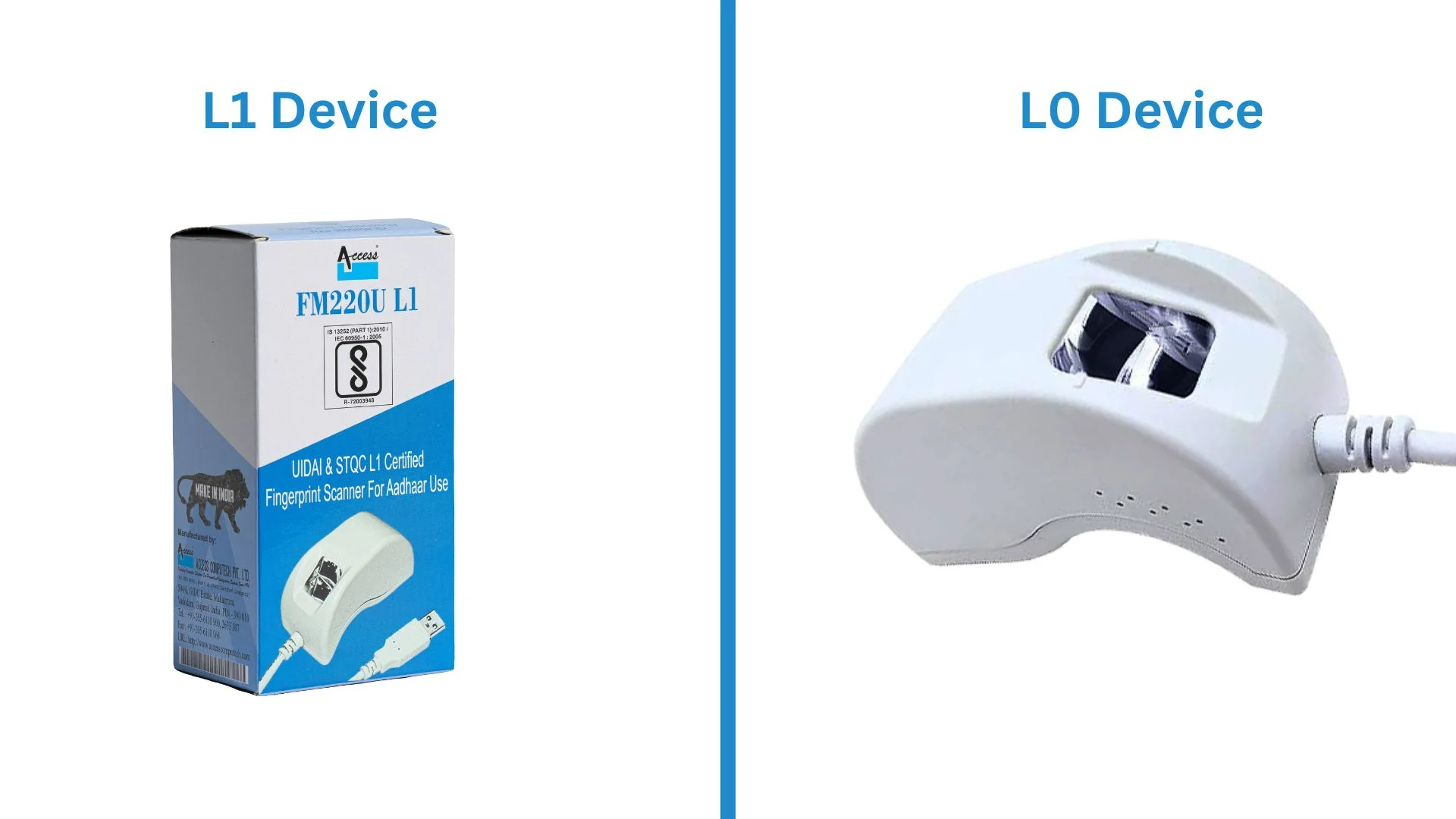
L0 and L1 are certification levels defined by UIDAI under its Registered Device (RD) framework, which governs how biometric devices used for Aadhaar authentication must handle and secure fingerprint or iris data. Both certification levels allow a device to be used for Aadhaar authentication, but they differ in one critical respect: where the biometric encryption happens.
In an L0-certified setup, the biometric capture device, which is the sensor itself, does not perform encryption on-board. Instead, the raw biometric data captured by the sensor is passed to an external application or host system using software-based key storage, where encryption is then applied before the data is transmitted for authentication.
This means the biometric data exists in an unencrypted, readable state for a brief window. Between the moment it's captured by the sensor and the moment the host application encrypts it. That window, however small, is the core security gap that distinguishes L0 from L1.
L0 devices are simpler and were more common in earlier Aadhaar authentication deployments. UIDAI has progressively moved the ecosystem away from L0 toward mandatory L1 compliance for most authentication use cases, specifically because of this exposure window.
An L1-certified device performs encryption on-board, within a secure element built into the hardware itself. The fingerprint or iris is captured and immediately encrypted inside the device using cryptographic keys that cannot be extracted, before any data leaves the sensor.
This means the raw biometric is never exposed outside the device at any point in the authentication process. Unlike the L0 device, there is no window during which unencrypted data exists on an external system, because the encryption has already happened before the data is transmitted anywhere.
This is what UIDAI refers to as registered device-level security, and it's the standard now required for the vast majority of Aadhaar authentication use cases including banking, e-KYC, government service delivery, and welfare disbursement.
The difference between L0 and L1 isn't a technical footnote, it has real operational and legal consequences.
Compliance: UIDAI mandates L1 certification for most Aadhaar authentication use cases today. Using an L0 device where L1 is required can mean the authentication isn't valid under UIDAI's framework at all, which creates serious downstream risk for the institution conducting the transaction.
Security: In an L1 device, even if the host system or application is compromised, the raw biometric data was never accessible to it in the first place. In an L0 setup, a compromised host application has a window of exposure to unencrypted biometric data, which is a meaningfully larger attack surface.
Audit and liability: If an authentication is ever disputed or investigated, for example in a fraud case, or a regulatory audit, or a customer complaint, then the certification level of the device used is part of what establishes whether the transaction was conducted in compliance with UIDAI's security framework. L1 certification removes ambiguity here whereas L0 leaves more open to question.
Long-term viability: As UIDAI continues to tighten authentication security standards, L0 devices are increasingly being phased out of acceptable use cases.
This is the part most buyers skip, although it's arguably the most important step in the entire procurement process.
Don't rely on the phrase "UIDAI certified" alone: Vendors sometimes use this language loosely, and it doesn't tell you which level the device carries. Ask specifically: is this device L0 or L1 certified?
Request the certification documentation: A genuinely L1-certified device will have formal UIDAI certification records that the vendor should be able to share without hesitation. If a vendor is vague or slow to provide this, treat it as a red flag.
Check UIDAI's published list of certified devices: UIDAI maintains records of registered devices and their certification status on the STQC website. Cross-referencing a vendor's claims against this is a reliable way to confirm compliance independently.
Ask about the secure element specifically: An L1 device will have a named secure cryptographic component. This is a hardware-level feature, not a software claim, and a credible vendor will be able to describe it specifically rather than speaking in general terms about "encryption."
If you're procuring biometric devices for any use case involving Aadhaar authentication, be it banking, e-KYC, attendance under AEBAS (Aadhaar Enabled Biometric Attendance System), welfare disbursement, or enrollment, then L1 certification should be treated as a non-negotiable baseline rather than a premium feature to weigh against cost.
Access Computech's Aadhaar authentication devices, including the FM220U L1, AST300, FC320, and A20 FP, carry full L1 certification with on-device secure element encryption, UIDAI registration, and an active, maintained RD Service to match.
If you'd like help verifying certification requirements for your specific deployment or understanding which device fits your use case, get in touch with our team. We're happy to walk you through it.